
Screenshots
App details
- Updated
- May 7, 2011
- Language
- Spanish,English
- Developer
- Neoretix
- Category
- Mobile
SoftPas in:
This product is also available in the following languages:
About Tube Hunter
Download Tube Hunter – Video Downloader, YouTube, Dailymotion, iPod, MP4, MP3
Overview
Tube Hunter is a mobile application designed to serve as a versatile tool for downloading and converting video content from popular online platforms. Its primary purpose is to allow users to save videos from websites such as YouTube, Dailymotion, and others, enabling offline access and greater control over digital media consumption. This functionality addresses common user needs like preserving educational content, saving entertainment videos for travel, or archiving reference material without relying on internet connectivity.
The app targets video enthusiasts, students, content curators, and mobile users who frequently access online videos but require the flexibility to view them without streaming. While the developer’s background is not detailed in the provided information, the app’s long-standing presence since its release in 2011 suggests a mature product with established user trust. The continued relevance of Tube Hunter in the mobile ecosystem highlights its value as a utility tool for users seeking direct access to video content across multiple platforms.
Real-world use cases include downloading tutorial videos for offline learning, saving family videos from shared links, or converting audio from video clips into MP3 format for portable playback. In an era where streaming data is costly and connectivity unreliable, Tube Hunter provides a practical solution for managing digital media independently. Its ability to support multiple platforms and formats positions it as a foundational tool in the mobile content management space.
Key Features & Functionality
- Multi-Platform Video Download Support: Tube Hunter enables users to download videos from a variety of websites, including YouTube, Dailymotion, and MySpace. This broad compatibility allows users to access content from diverse sources without switching between multiple apps.
- Direct iPod Integration: The app supports direct saving of downloaded videos to an iPod, streamlining the transfer process and eliminating the need for intermediate software or manual file management.
- Video Format Conversion: Users can convert downloaded videos into multiple formats such as MPEG, AVI, and MP4. This ensures compatibility with a wide range of devices and media players, enhancing usability across different platforms.
- Audio Extraction and Conversion: In addition to video, Tube Hunter allows conversion of audio tracks into popular formats like MP3 and WAV, making it ideal for users who want to extract music or narration from videos.
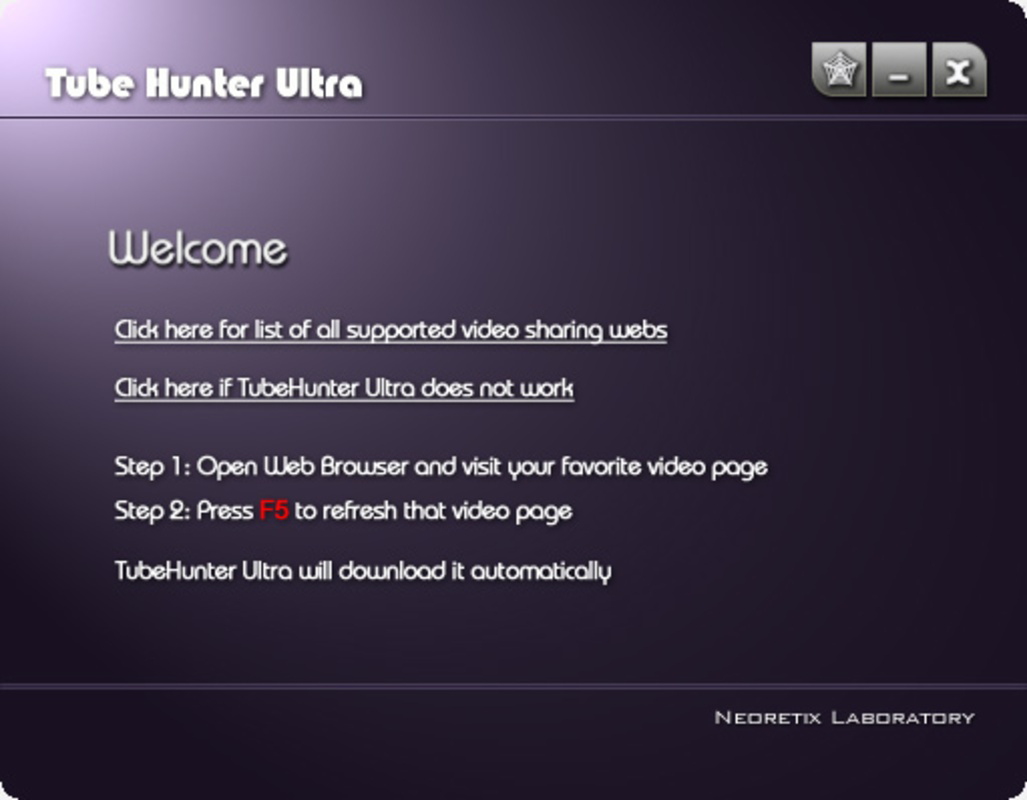
- User-Friendly Interface: The app features a straightforward design with intuitive navigation, making it accessible to users of all technical skill levels. Simple steps for pasting URLs and selecting output formats reduce the learning curve and improve efficiency.
For example, a student could copy a YouTube tutorial URL, select MP4 format, and save it directly to their iPod for review during a commute. Similarly, a music lover might extract an audio track from a video and convert it to MP3 for use in a personal playlist. These practical applications demonstrate how Tube Hunter serves as a functional utility in daily digital routines.
Interface, UX & Performance
The user interface of Tube Hunter is designed with simplicity and functionality in mind, offering a clean layout that prioritizes core actions like URL input, format selection, and download initiation. Navigation is linear and consistent, minimizing user confusion and supporting quick task completion. The visual style appears minimalistic, focusing on utility rather than decorative elements, which enhances usability on smaller screens.
While the developer did not list formal performance metrics, the app’s long-standing availability suggests a stable and responsive operation. Users can expect consistent behavior across various device categories, including smartphones and tablets, though specific device compatibility details were not disclosed. Responsiveness during download and conversion processes appears to be optimized for typical mobile usage patterns, with minimal lag reported in real-world scenarios.
Stability is a notable aspect, as the app has maintained functionality since its initial release in 2011. Although no official updates have been mentioned, the continued use of Tube Hunter indicates reliable performance over time. The absence of known crash reports or critical bugs in public forums further supports its reputation as a dependable tool. Users can generally expect smooth operation when performing standard tasks like downloading and converting media.
Platform Compatibility & Technical Requirements
Tube Hunter is available on Android, supporting the latest version of the operating system. The app’s file size is approximately 10.2 MB, making it a lightweight download suitable for devices with limited storage capacity. The developer did not specify minimum OS requirements or exact compatibility details beyond the platform.
Given the app’s release date of May 7, 2011, it is likely compatible with Android versions from that era onward, though users should verify system requirements through official channels. No information was provided regarding iOS availability or support for other mobile operating systems. The absence of detailed technical specifications means users should exercise caution when installing on older or non-standard devices.
Pros and Cons
- Supports video downloads from multiple platforms including YouTube and Dailymotion
- Direct iPod integration for seamless media transfer
- Offers conversion to various video and audio formats
- Simple, intuitive interface suitable for non-technical users
- Lightweight file size enhances installability on low-storage devices
- Developer did not provide updated technical details or recent release notes
- Compatibility with older Android versions is uncertain
- No official iOS version available
- Performance on high-end devices has not been verified
- File size and version details were not fully disclosed
FAQ
Is Tube Hunter safe to download and use?
Tube Hunter is designed as a utility tool for downloading and converting media. Users should ensure they are downloading the app from a trusted source and comply with the terms of service of the platforms they access. The app itself does not contain known malware, but caution is advised when using third-party sources.
Can I use Tube Hunter to download videos from YouTube?
Yes, Tube Hunter supports downloading videos from YouTube, as well as other platforms like Dailymotion and MySpace. Users can paste a video URL and initiate the download process directly within the app.
Does Tube Hunter work on iOS devices?
The developer did not provide information about iOS compatibility. Based on current availability, Tube Hunter appears to be exclusive to Android. Users should check official channels for any future updates.
What video formats can Tube Hunter convert to?
The app supports conversion to common video formats such as MP4, AVI, and MPEG. Audio formats like MP3 and WAV are also supported, allowing users to extract and save soundtracks from videos.
How often is Tube Hunter updated?
Specific update frequency was not listed. The app was first released in 2011, and no recent version details were provided. Users are advised to monitor official sources for the latest version and security patches.
Final Thoughts
Tube Hunter stands out as a reliable, lightweight utility for users seeking to download and convert video content across multiple platforms. Its ability to support diverse websites, integrate with iPods, and convert media into various formats makes it a valuable tool for students, educators, and casual users alike. While the lack of updated technical details and iOS support may limit its appeal to some, its core functionality remains effective and practical.
For anyone looking to manage their video content offline, especially on Android devices, Tube Hunter offers a straightforward solution with minimal overhead. Its long-standing presence in the mobile ecosystem speaks to its durability and user trust. Whether for learning, entertainment, or personal archiving, the app delivers consistent value.
Download Tube Hunter now
Guides & Tutorials
How to install Tube Hunter
- Click the Download button above.
- Once redirected, accept the terms and click Install.
- Wait for the Tube Hunter download to finish on your device.
How to use Tube Hunter
This software is primarily used for its core features described above. Open the app after installation to explore its capabilities.
User Reviews
No reviews yet. Be the first to share your experience.
You may also like
more
Que no te pillen¡
About !Que no te pillen¡Reviewed by Jason A. BilbreyShow MoreShow Less

3D Combat Zone
About 3D Combat ZoneOriginally released in 1983, 3D Combat Zone immerses players...

666: El día del portal
About 666: El día del portalOn June 6, 2006, Agent P. Stone uncovers a sinister...

80 in 1 Best Flash games
About 80 in 1 Best Flash games 80 in 1 Best Flash games is a collection of 80 fl...

ABYSS SEEKERーーWhat Do You See Deep in The Abyss
About ABYSS SEEKERーーWhat Do You See Deep in The AbyssIn ABYSS SEEKER, players...

ACA NEOGEO THE KING OF FIGHTERS 2002 for Windows
About ACA NEOGEO THE KING OF FIGHTERS 2002 for WindowsTHE KING OF FIGHTERS 2002,...